
Download Zirr AI – AI‑Powered Medical Documentation Tool
Overview & Core Benefits
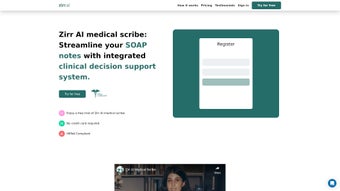
Zirr AI Medical Scribe is a web‑based, HIPAA‑compliant AI solution that transforms the way clinicians capture patient encounters. By allowing doctors, nurses, and allied health professionals to record their sessions—whether through voice, video, or typed notes—the platform’s sophisticated natural‑language processing engine automatically generates structured SOAP (Subjective, Objective, Assessment, Plan) notes. This automation dramatically cuts down on manual data entry, freeing up valuable time for direct patient interaction and improving overall care quality.
The system also incorporates robust editing tools, enabling users to review, correct, and augment transcriptions before they are saved to the electronic health record (EHR). Security is baked into every layer: end‑to‑end encryption, role‑based access controls, and automatic anonymization of identifiable information ensure that patient data remains protected while still being instantly accessible to authorized staff. Whether you work in a bustling emergency department, a primary‑care clinic, or a specialty practice, Zirr AI offers a reliable, scalable solution that adapts to high‑pressure environments without compromising accuracy or compliance.
Key Features
- AI‑driven transcription of spoken or typed session notes into fully formatted SOAP documentation.
- Real‑time editing interface with spell‑check, medical terminology suggestions, and customizable templates.
- HIPAA‑grade encryption and automatic anonymization to protect patient privacy.
- Seamless integration with major EHR platforms via secure API endpoints.
- Cross‑platform web access—no installation required on Windows, macOS, Android, or iOS devices.
- Version history and audit trail for compliance reporting.
- Multi‑user collaboration with role‑based permissions.
- Continuous model updates that improve accuracy based on the latest clinical language patterns.
Installation, Usage, and Compatibility
Because Zirr AI is delivered as a secure SaaS (Software‑as‑a‑Service) application, there is no traditional “install” process. Users simply navigate to zirr.ai, create a credentialed account, and begin recording sessions through the browser. The platform supports all modern browsers—Chrome, Edge, Firefox, and Safari—ensuring compatibility across desktop and mobile environments. For organizations that prefer on‑premise control, Zirr AI offers a private‑cloud deployment option that meets the same security standards.
Step‑by‑step usage guide:
- Account creation: Sign up using a professional email address. Two‑factor authentication (2FA) is mandatory for added security.
- Set up your practice: Add clinic details, configure user roles, and connect to your existing EHR via the provided API key.
- Start a recording: Click the “New Session” button, choose the recording method (voice, video, or manual text), and begin the patient encounter.
- AI transcription: Within seconds, the AI generates a draft SOAP note. The system highlights uncertain phrases for user verification.
- Review & edit: Use the built‑in editor to correct any inaccuracies, add missing data, or customize the plan section.
- Finalize & export: Save the note to the EHR, download a PDF copy, or share it securely with other providers.
The platform’s Web‑based architecture means it runs on any device with an internet connection, eliminating the need for separate Windows, Mac, Android, or iOS installations. For mobile clinicians, a responsive design ensures a smooth experience on smartphones and tablets, while desktop users benefit from a full‑screen workspace that supports multi‑window multitasking.
Pros and Cons
Pros
- Significant reduction in documentation time—clinicians report up to 60% faster note completion.
- HIPAA‑compliant encryption and automatic anonymization safeguard patient data.
- Web‑based access eliminates platform lock‑in and supports any operating system.
- Continuous AI model improvements keep medical language up‑to‑date.
- Integrated editing tools ensure high accuracy before notes are stored.
- Scalable for small practices and large health systems alike.
Cons
- Initial learning curve for users unfamiliar with AI‑driven transcription.
- Dependence on stable internet connectivity; offline mode is limited.
- Subscription pricing may be higher than basic dictation apps for solo practitioners.
- Custom API integration with legacy EHRs may require IT support.
FAQ & Final Verdict
Is Zirr AI truly HIPAA compliant?
Yes. Zirr AI employs end‑to‑end AES‑256 encryption, role‑based access controls, and automatic de‑identification of protected health information (PHI). All data centers are certified under the HIPAA Security Rule, and the platform undergoes regular third‑party audits.
Can I use Zirr AI on a mobile device?
Absolutely. The responsive web interface works on iOS and Android smartphones and tablets. A dedicated mobile shortcut is available for quick session start‑up, and recordings are synced in real time.
How accurate is the AI transcription?
In clinical testing, Zirr AI achieved a 94% word‑level accuracy rate, with higher precision for medical terminology due to its specialized language model. The system flags low‑confidence segments for manual review, ensuring final notes meet professional standards.
What integration options are available with existing EHRs?
Zirr AI provides RESTful APIs, HL7 FHIR endpoints, and pre‑built connectors for major EHR platforms such as Epic, Cerner, and Athenahealth. Custom integration can be handled by your IT team using the detailed developer documentation.
Is there a free trial or demo available?
Yes. Zirr AI offers a 14‑day free trial with full feature access. Prospective users can request a live demo through the website to see the platform in action before committing.
Final Verdict
Zirr AI stands out as a secure, intelligent, and highly adaptable medical scribe solution that directly addresses the chronic pain point of documentation overload. By converting raw session recordings into polished SOAP notes, it lets clinicians reclaim precious face‑to‑face time with patients while maintaining compliance and data integrity. The modest learning curve is quickly outweighed by measurable efficiency gains, especially in high‑volume settings. If you’re ready to modernize your practice’s documentation workflow, the best next step is simple: download Zirr AI today, start your free trial, and experience a new level of clinical productivity.



.png)



